

SMU guests and visitors who have a need to access the Internet may connect wirelessly to the SMU Guest/Visitor Wireless Network (SSID: SMU_Visitor).
The service allows SMU’s guests, including event participants, and conference visitors to access and browse the Internet using their own computing or mobile devices via SMU’s campus-wide high-speed wireless network.
Users should take note of the following in using this service by IITS:
- Access to some video streaming sites may be slow.
- Slowness may be encountered if there are too many users on the SMU guest/visitor system at any moment in time.
SMU guests — including event participants and conference visitors — can use this service. It provides temporary wireless internet access at SMU premises.
Members of the SMU community should also take note of the following:
- SMU visitor accounts are meant for temporary Internet access and basic Internet browsing.
- SMU users like students, faculty and staff are strongly encouraged to use WLAN-SMU that provides encryption for security and higher bandwidth with tiered service allocated.
- Other University visitors should utilise the Eduroam network.
To prevent misuse and manage costs, self-registration is only available at selected locations on SMU premises. Currently, these are:
- All classrooms and seminar rooms across SMU schools
- Levels 4–14 of the Administration Building
Once your device is registered, you can use the Wi-Fi anywhere on campus without logging in again for up to 5 consecutive days.
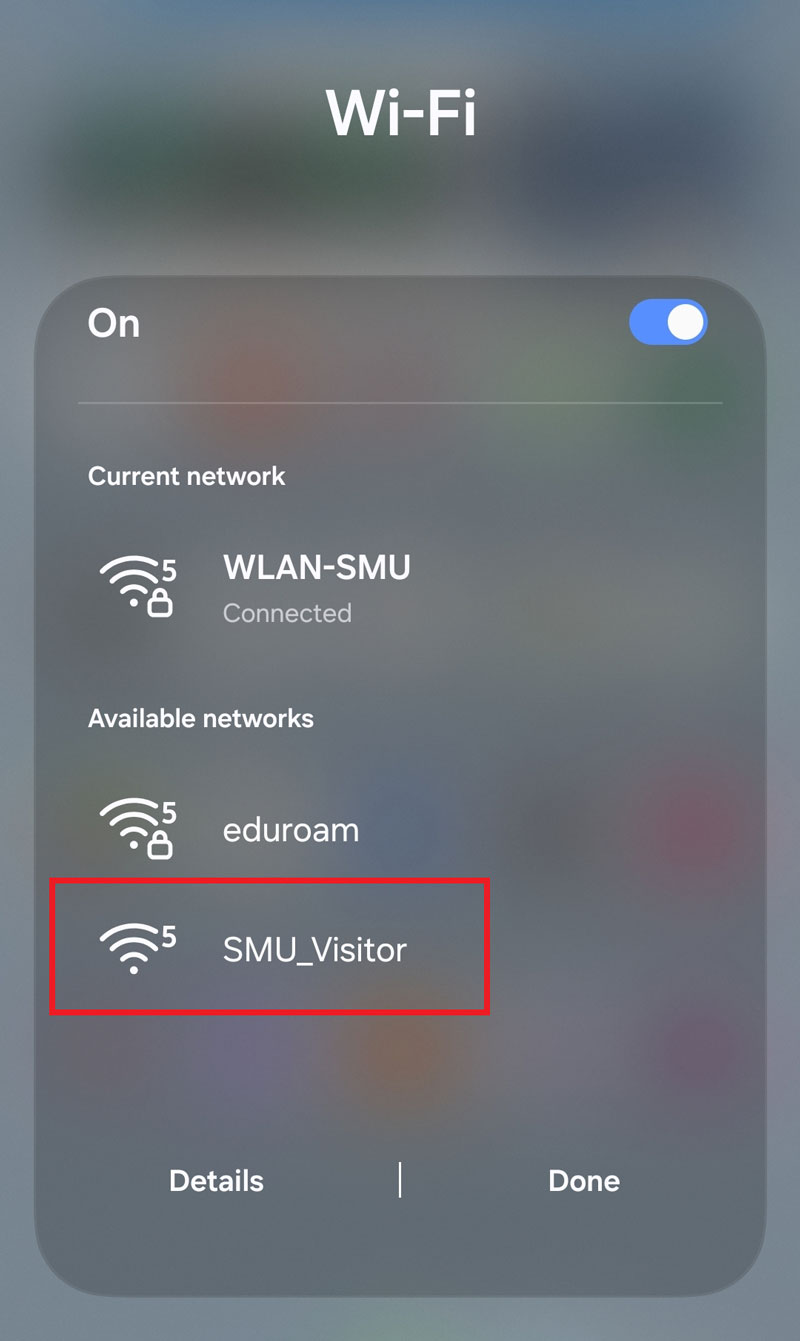
Step 1: Connect your Wi-Fi network to "SMU_Visitor" wireless network.
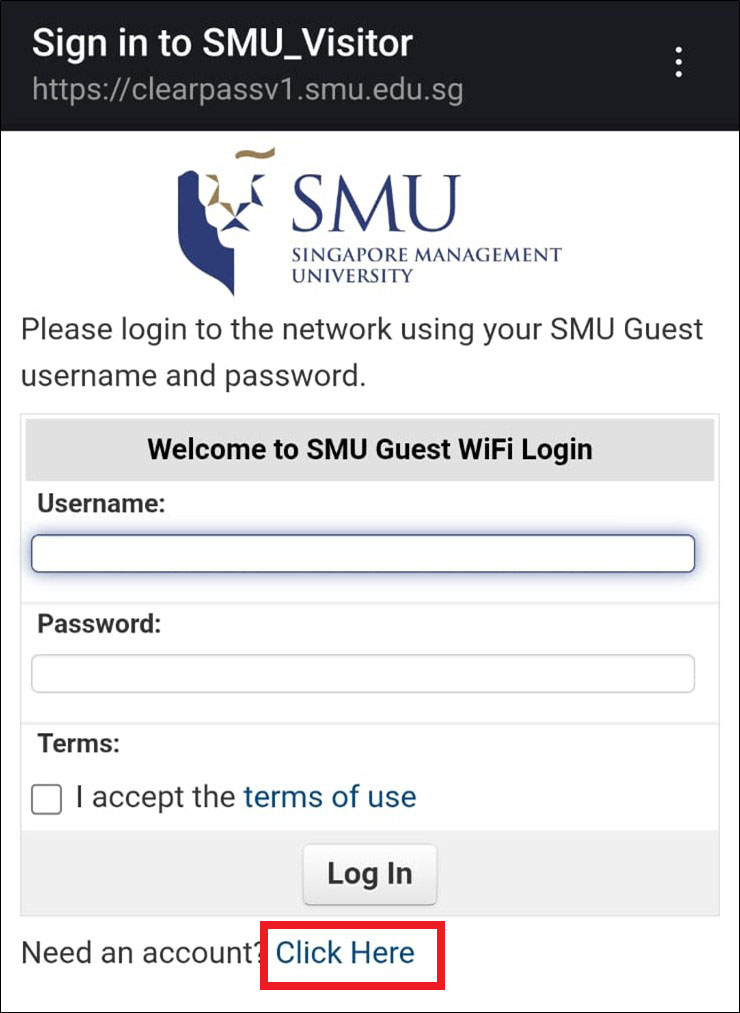
Step 2: Click "Click Here" to register.
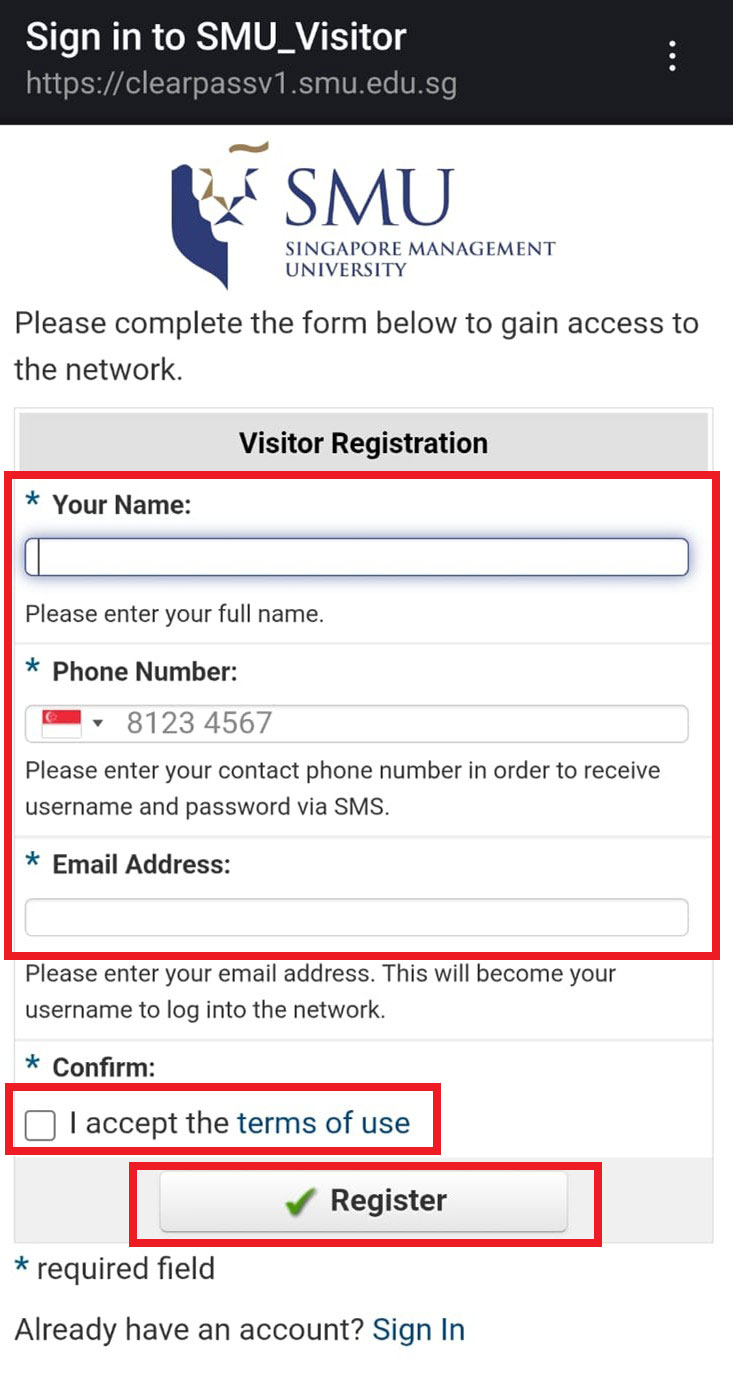
Step 3: Fill in the form, check the checkbox to accept the terms of use and click the "Register" button.
Note: The country code is defaulted to Singapore. If you are not using a Singapore phone number, please select the correct country code from the dropdown menu.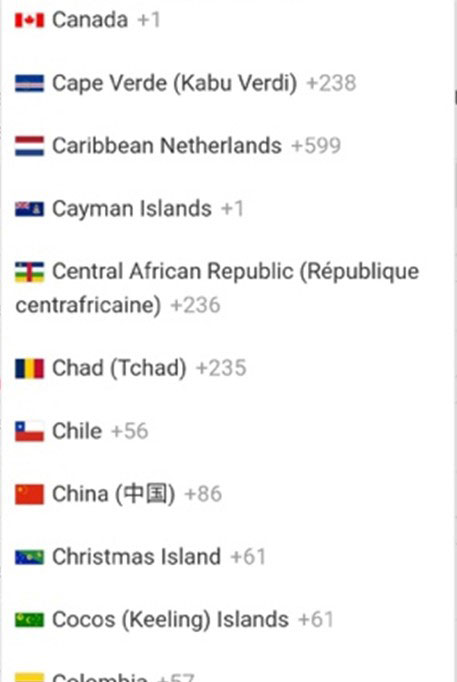
Step 4: Upon completion, you will be able to login with the password you receive via SMS.
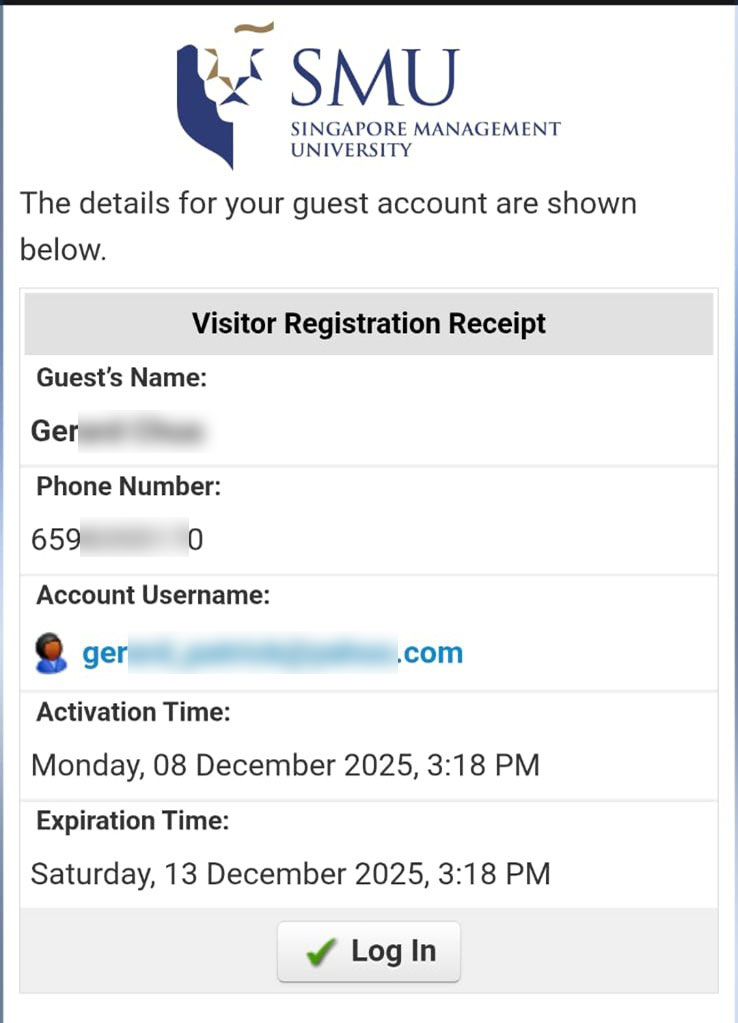
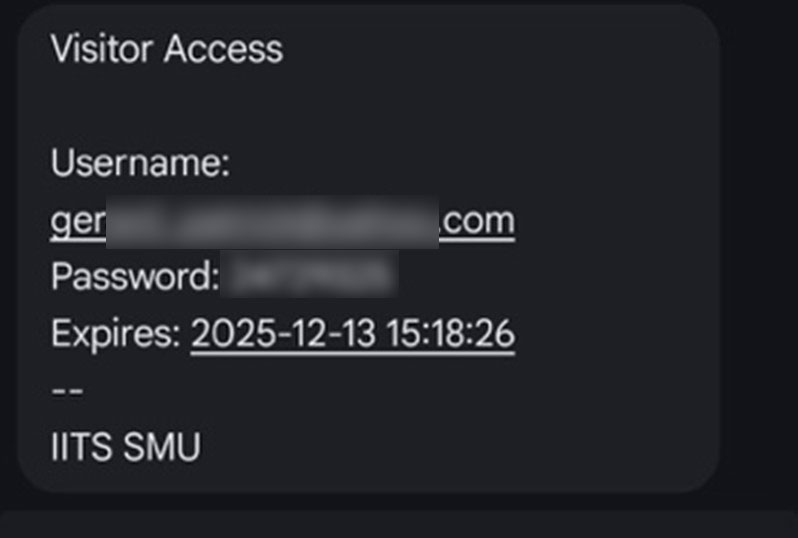
The country code is set to Singapore by default, so you don’t need to enter it. Just type your mobile number with no spaces.
Singapore (local) mobile numbers
Format:
8 digits only(no spaces)Do not include:
+65Example:
91234567
If you’re using a phone number from another country, choose the correct country from the dropdown. You still don’t need to type the country code—just enter your mobile number with no spaces.
Overseas mobile numbers
Format:
<mobile number>(no spaces)Do not include country code.
Example:
1234567890
Yes. All guests and visitors can use this service as long as they can receive SMS on their mobile phone.
Both Singapore and overseas mobile numbers are supported. For overseas numbers, the guest must have SMS roaming enabled (arranged by the guest/visitor). Without roaming, they may not receive SMS messages while in Singapore.
Get Help
Please email SMU IT Help Centre at helpdesk@smu.edu.sg or call 6828 0123 during office hours between Monday to Friday, 8am to 6pm.